Skip to content

Get in touch

Send me a message, or book a time to talk.

tengariya@gmail.com

Big & Bulky

A Shopify app that lets a merchant book Warp freight from their own store
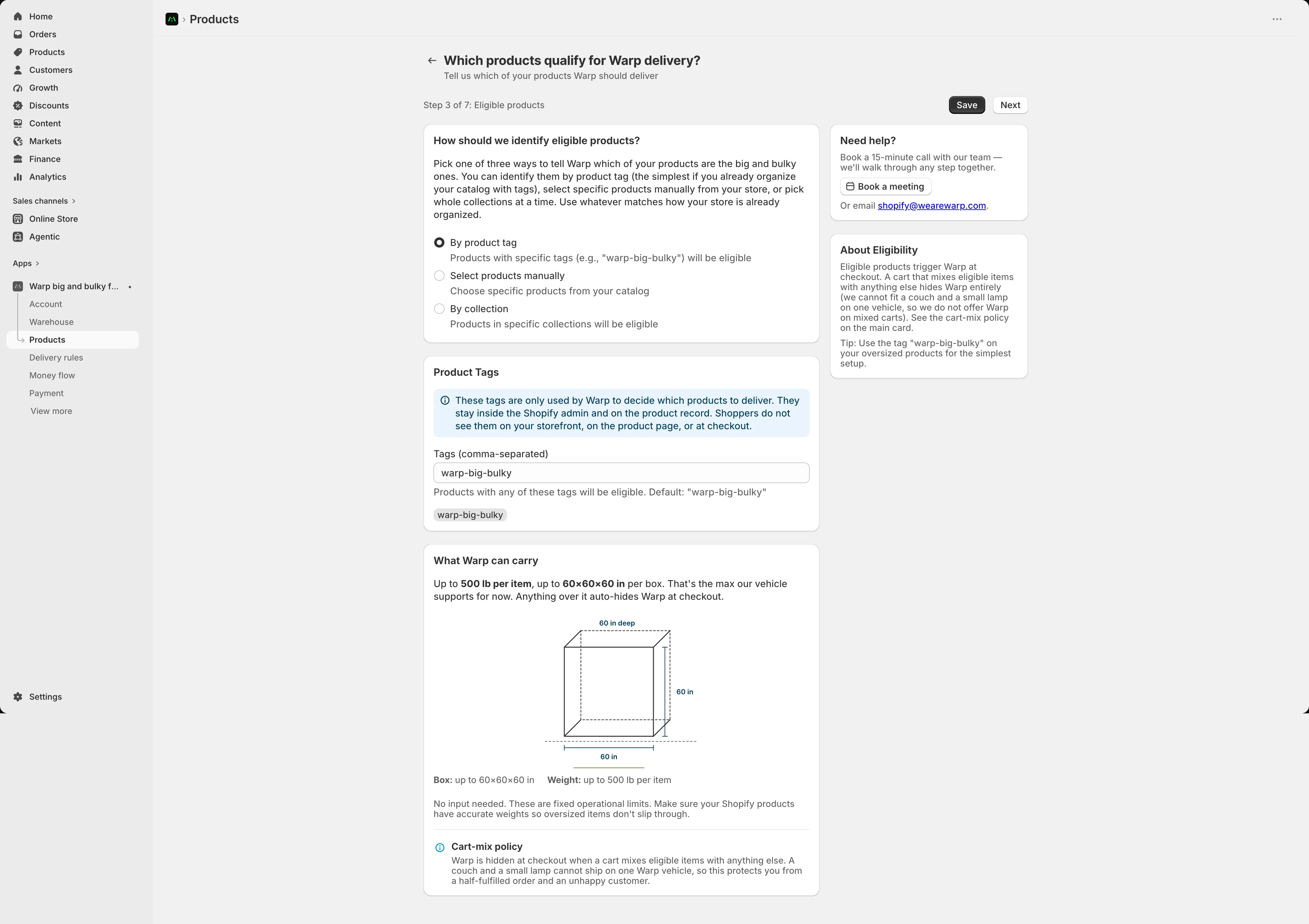
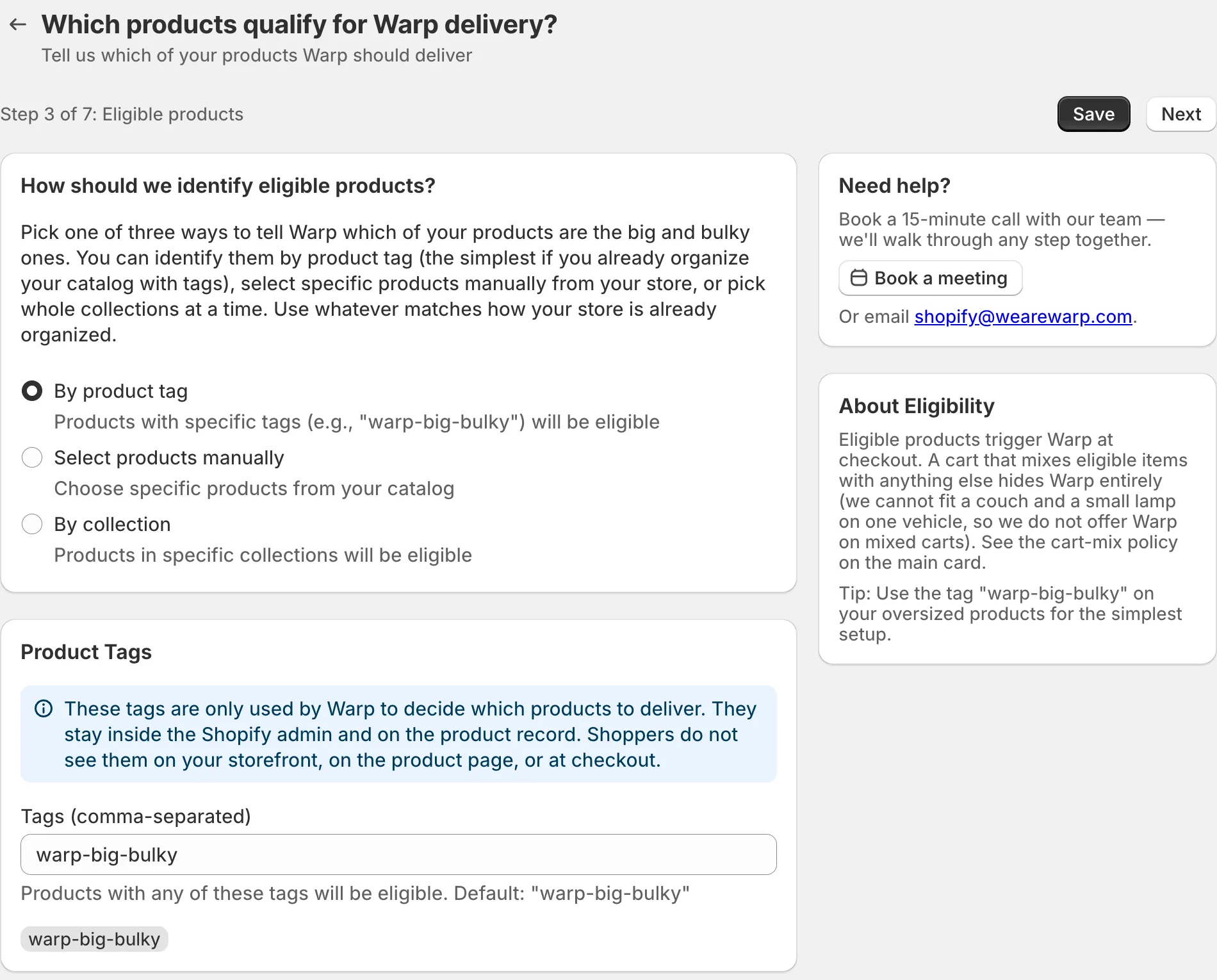
The Warp Big and Bulky app inside a Shopify admin, on a test store. The page is Eligible products, step 3 of 7. A card asks how to identify eligible products, with three choices: by product tag, select products manually, by collection. Below it are a card with the product tag warp-big-bulky and a card called What Warp can carry, with a drawing of a 60 inch box.
Eligible products, step 3 of 7.
The Eligible products page: a card asking how to identify eligible products, with three choices, and below it a Product Tags card with the tag warp-big-bulky. On the right, Need help and About Eligibility cards.
Detail. How a merchant says which products Warp should deliver.
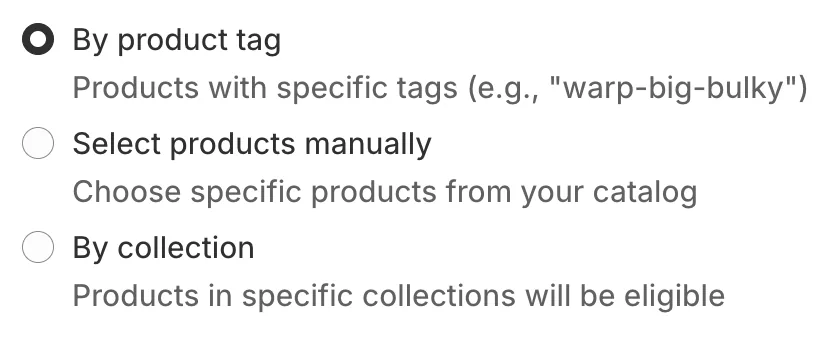
A card that asks how to identify eligible products, with three choices: by product tag, which is chosen, select products manually, and by collection.
Detail. How a merchant says which products Warp should deliver.

Warp's founders gave me a vague ask, and working out what to build was part of the job. Warp wanted to sell its freight on the platforms its customers already used. I designed a Shopify app where a merchant sets things up once, and after that their big orders get booked without a form.

Role
Product design for the app: the setup and its screens.
Team
Troy Lester, Warp's co-founder and CRO, made the scope calls, like the 90-mile limit and one pickup window. Rahul built an earlier prototype of the app. Warp's backend team built the services it connects to.
Date
March to July 2026.
Outcome
Live on Shopify.

Every screen on this page comes from a test store, so the products and addresses in them are the test store's own.

Where it started

The founders told me they wanted to use Warp's freight network on the platforms its customers used. That was the whole description. Nobody had said which platform, or what the product should be, so the first part of the job was finding where to look.

Where the orders already were

I looked at who Warp's customers were and what they sold. A lot of the ones shipping big things, like couches and bed frames, were selling on Shopify, and for many of them a big part of their revenue came through their store. Warp was building products for the places its customers already worked, and this was one of them. So why not give them Warp on the platform they already use.

Before the app, a merchant had to come back to the Warp portal and book each shipment by hand. That meant a form for every order, and a fair chance of mistakes. The app is meant to take that step away.

Before

  1. An order comes in on the store
  2. Open the Warp portal
  3. Fill in the shipment form
  4. The shipment is booked

After

  1. An order comes in on the store
  2. The shipment is booked

Setting it up once

A Shopify app lives inside the merchant's admin and is built with Shopify's own kit. It's a bit like designing on top of Android. So the design work was mostly the setup.

A merchant installs the app and goes through seven short steps, one screen at a time. The list here is the one the app shows at the start. Their Warp account is made for them automatically, so there's no separate sign-up and no key to copy over.
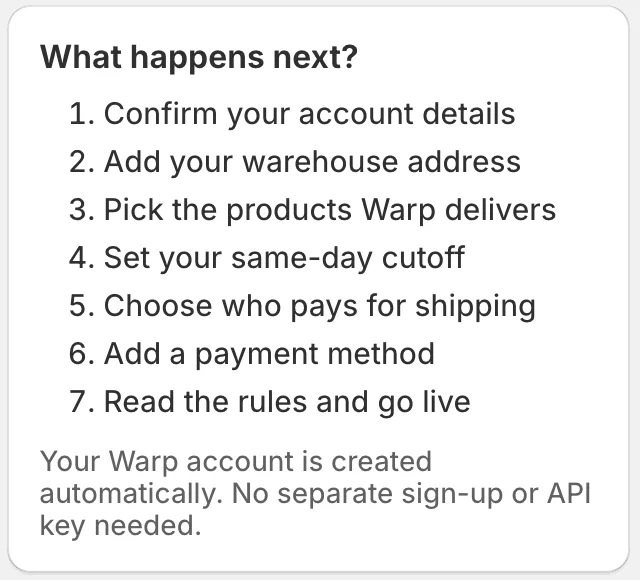
A card titled What happens next with seven numbered steps: confirm your account details, add your warehouse address, pick the products Warp delivers, set your same-day cutoff, choose who pays for shipping, add a payment method, read the rules and go live. Below it: your Warp account is created automatically, with no separate sign-up or API key needed.
The seven steps, as the app lists them.

Which products Warp can carry

A merchant tells Warp which of their products it should deliver. Stores are organized in different ways, so the app gives three ways to do it: a tag on the product, a hand-picked list, or whole collections.
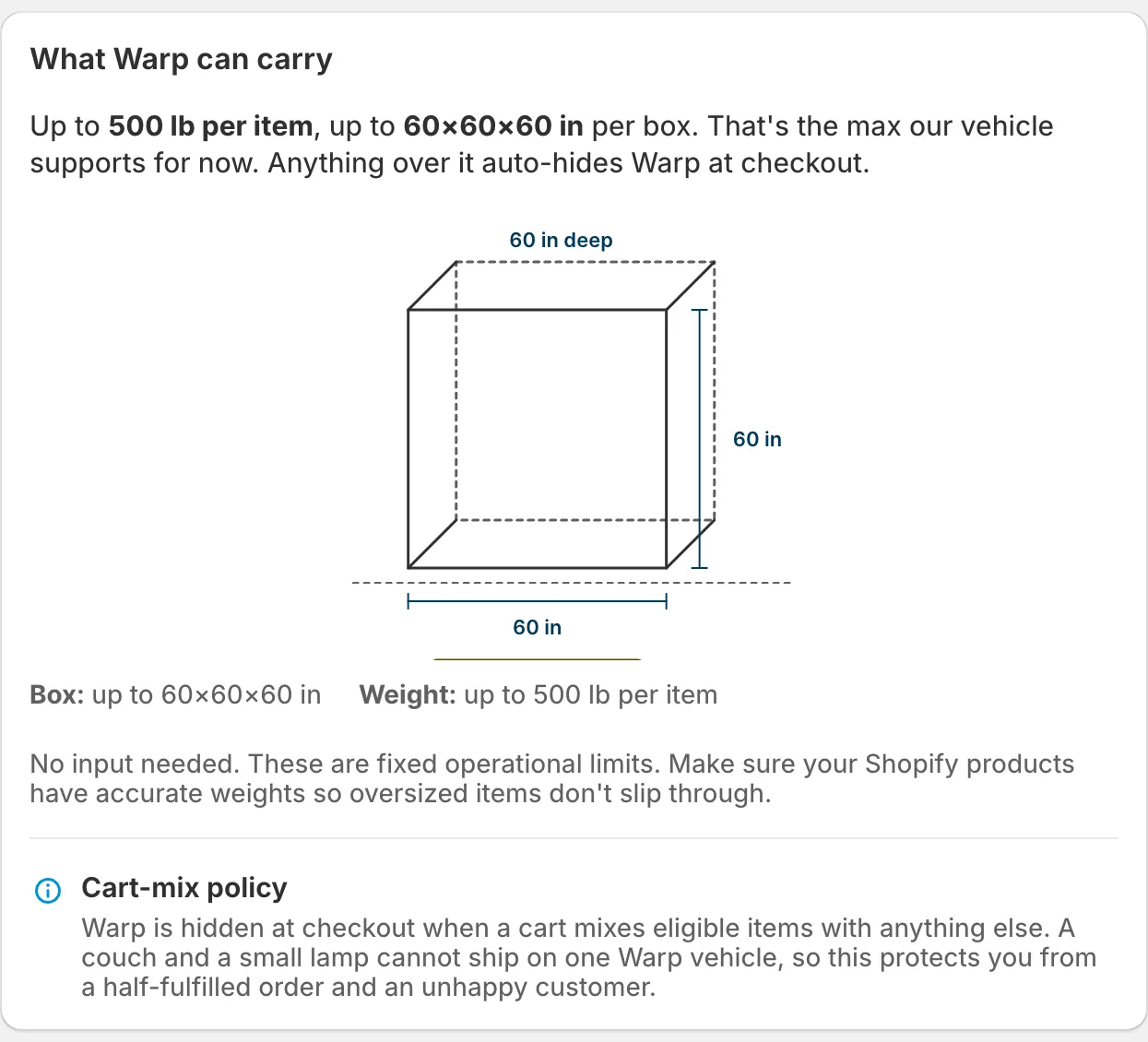
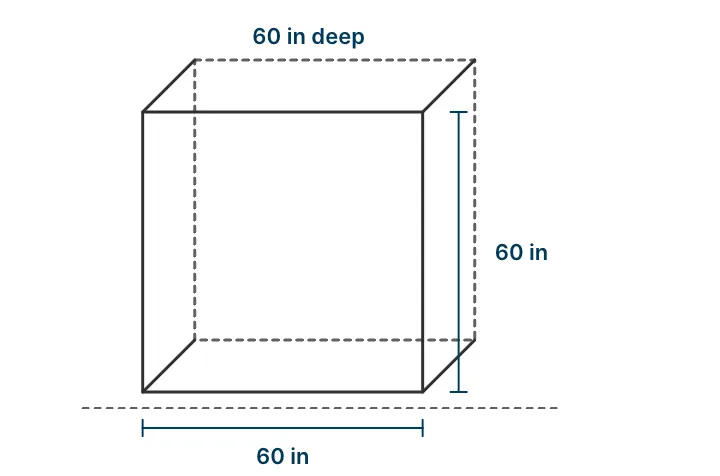
Step 3 of 7, Eligible products, lower half. A card called What Warp can carry says up to 500 lb per item and up to 60 by 60 by 60 inches per box, with a drawing of the box and its three 60 inch sides. Below it, a note called Cart-mix policy explains that Warp is hidden at checkout when a cart mixes eligible items with anything else.
What Warp can carry.
A drawing of the box and its three 60 inch sides.
A note called Cart-mix policy.
What Warp can carry.
  1. A drawing of the biggest box Warp takes, with the weight limit under it.
  2. A note about mixed carts. A couch and a small lamp can't go on one vehicle, so Warp stays hidden at checkout for that cart. The page says this protects the merchant from a half-fulfilled order and an unhappy customer.
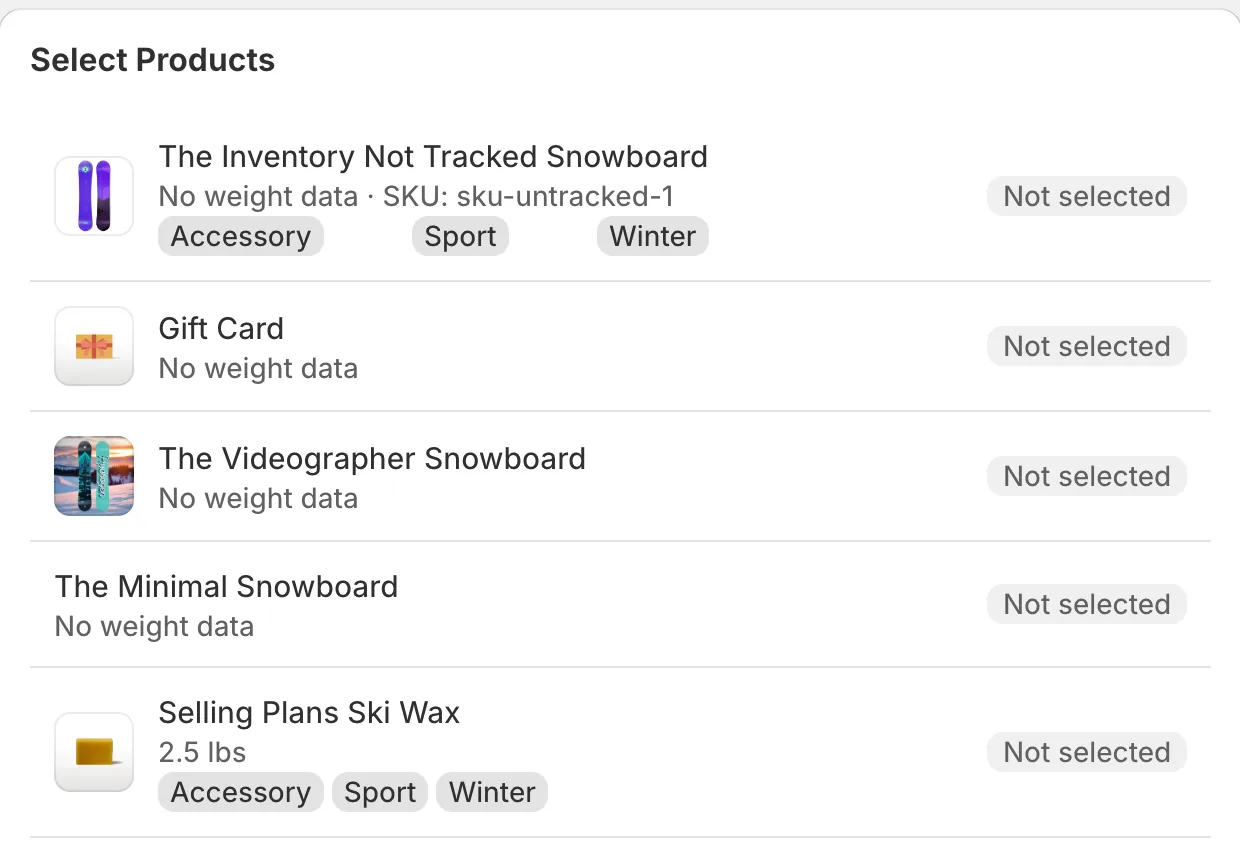
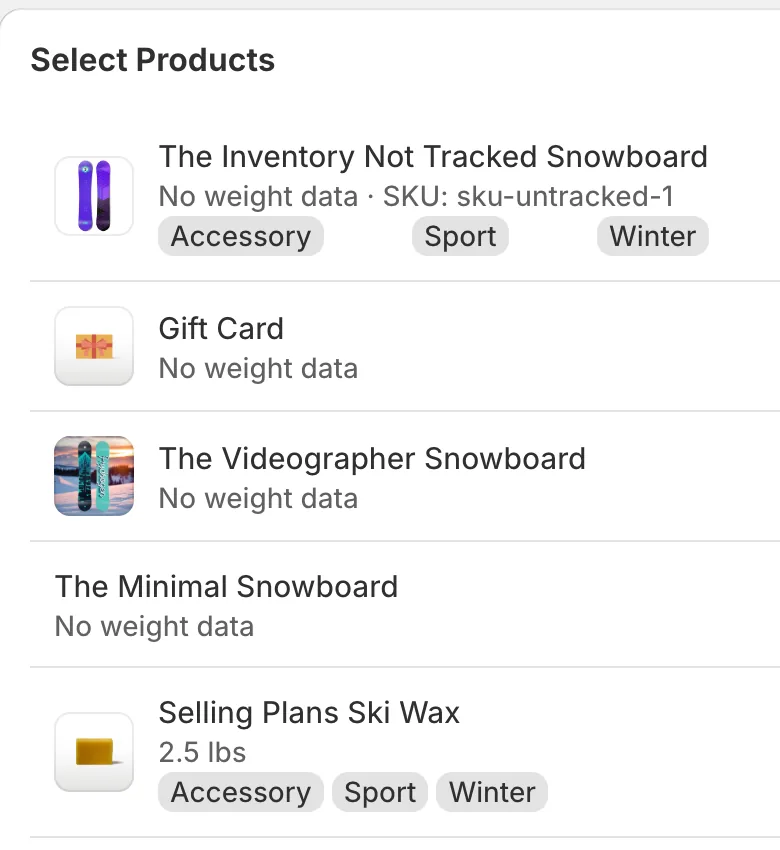
The same step with Select products manually chosen, and a list of the store's products with their weights and a Not selected label on each.
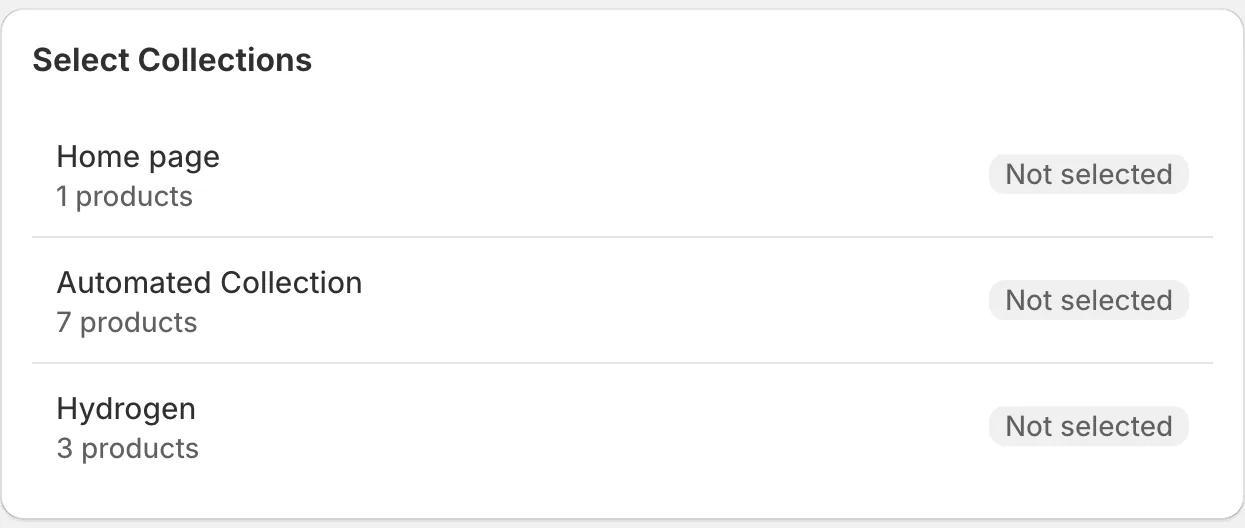
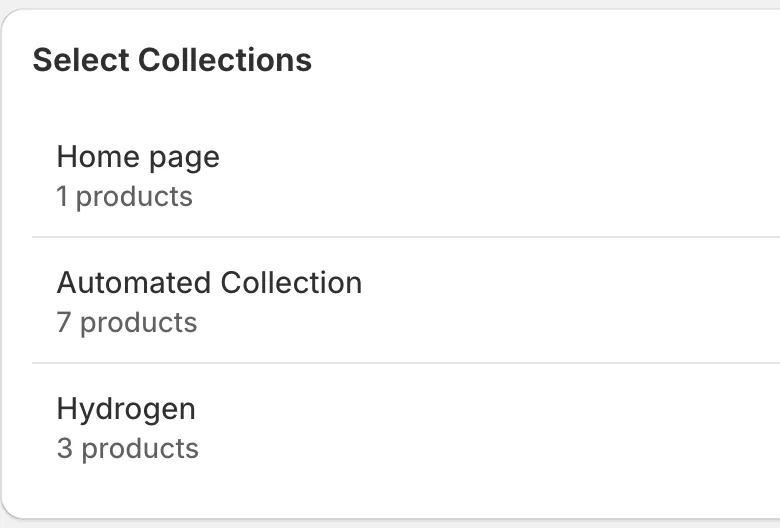
The same step with By collection chosen, and a list of three collections, each marked Not selected.
The other two ways to pick products.

One delivery day, drawn

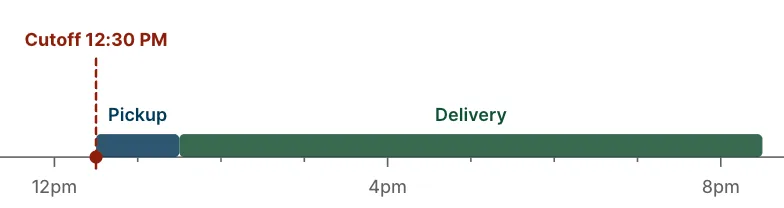
Warp picks up in one window each day and delivers in another, and at checkout the shopper picks a delivery date. The page opens with a small timeline of that day: the cutoff, the pickup window and the delivery window.

Order before the cutoff and Warp picks up that day. Order after it and Warp picks up the next day. Two checkboxes under it turn same-day and next-day delivery on or off.
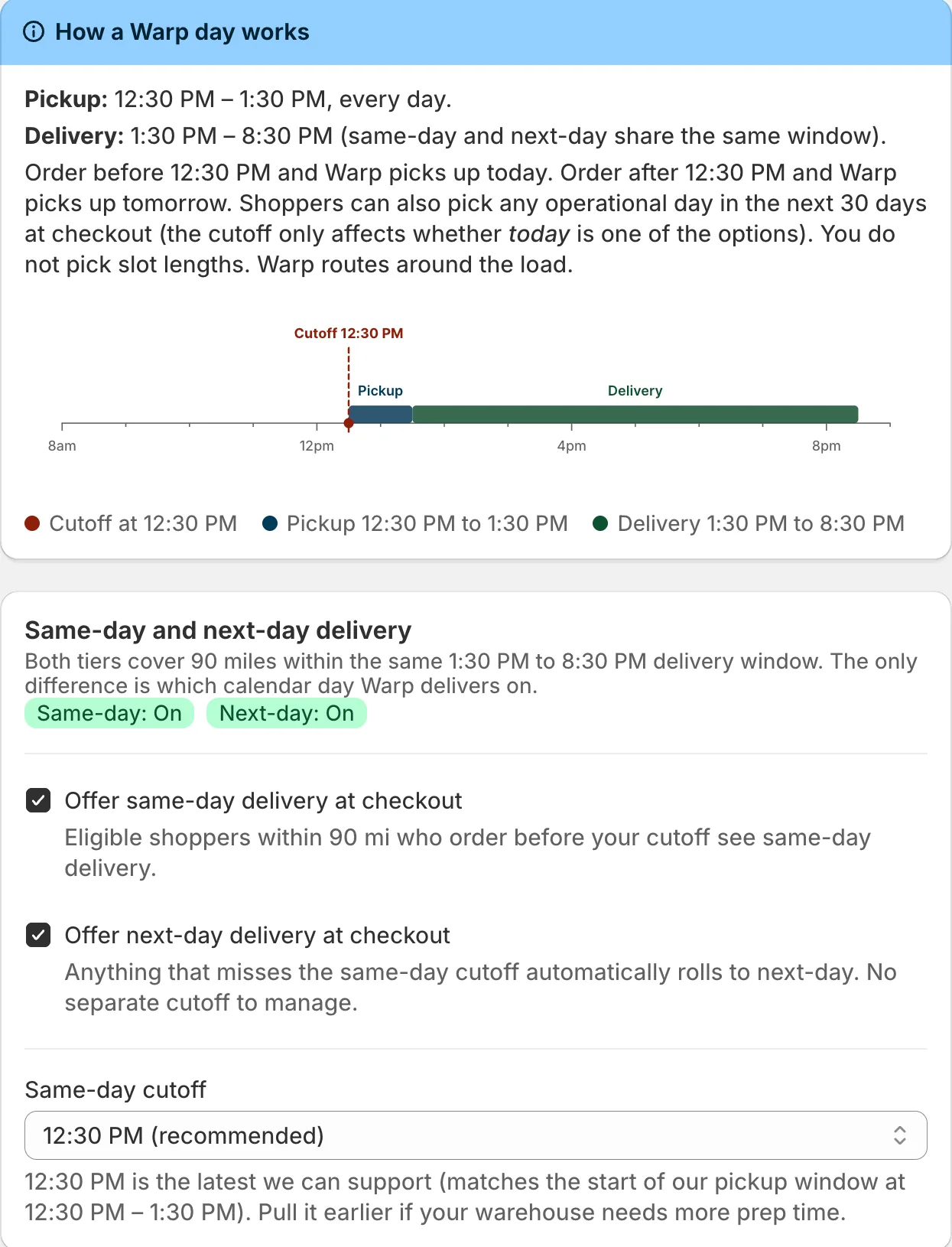
A card called How a Warp day works, with a timeline of one day from 8 AM to 8 PM: a red cutoff marker at 12:30 PM, a short blue pickup bar just after it and a long green delivery bar to 8:30 PM. Below it, a card with two checkboxes, offer same-day delivery at checkout and offer next-day delivery at checkout, both ticked, and a same-day cutoff of 12:30 PM.
The delivery day, as the app shows it.
A timeline of one day: a red cutoff marker at 12:30 PM, a short blue pickup bar just after it and a long green delivery bar to 8:30 PM.
The delivery day, as the app shows it.

Who pays, and when a payment fails

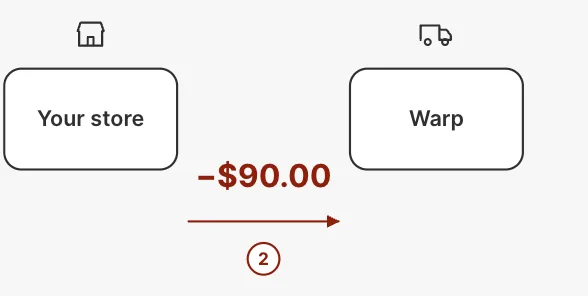
The money step walks through one example: a shopper pays $90 for shipping at checkout, and Warp takes the same $90 from the merchant, with no markup in between. The merchant chooses whether the shopper pays or they cover it themselves.

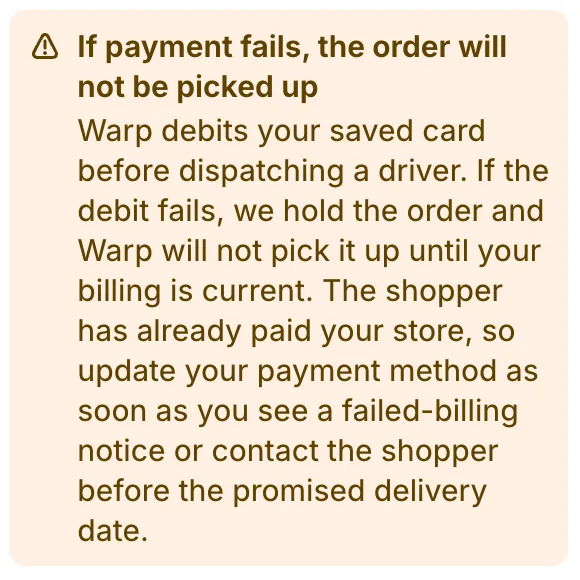
Next to it is a warning about what happens when a payment fails. The order isn't picked up until billing is fixed, even though the shopper has already paid the store.
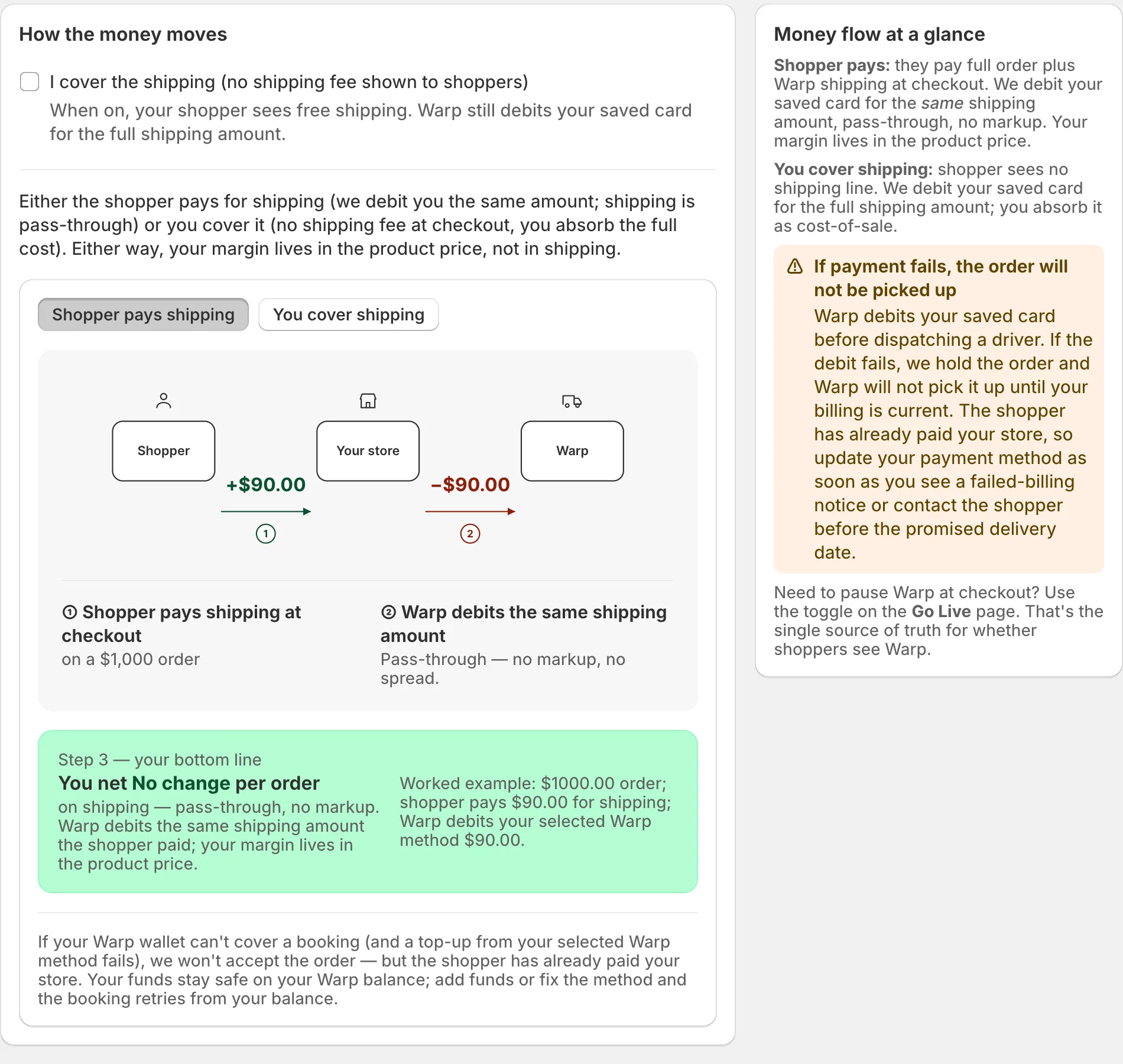
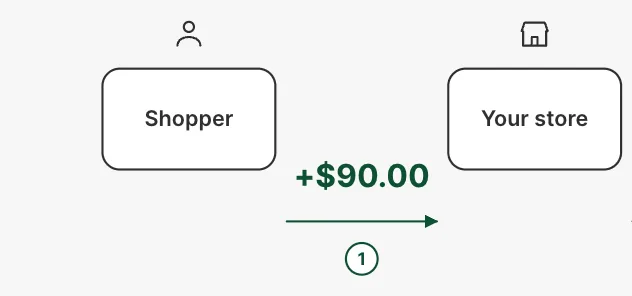
Step 5 of 7, Money flow. A card called How the money moves with a diagram of three boxes, Shopper, Your store and Warp, with +$90.00 going from the shopper to the store and minus $90.00 going from the store to Warp. A green box underneath says there is no change per order. On the right, an orange warning says that if payment fails, the order will not be picked up.
Money flow. The $90 is the screen's own example.
Step 5 of 7, Money flow: +$90.00 going from the shopper to the store.
Minus $90.00 going from the store to Warp.
An orange warning says that if payment fails, the order will not be picked up.
Money flow. The $90 is the screen's own example.

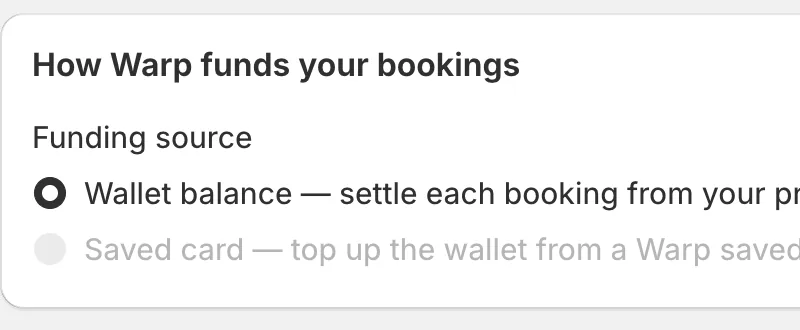
The next step is payment, where the merchant picks how Warp funds each booking.
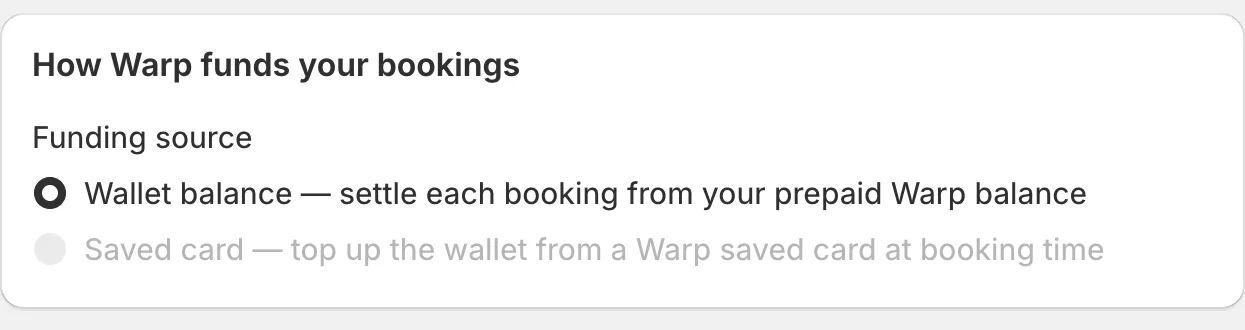
Step 6 of 7, Payment. A card called How Warp funds your bookings, with a funding source choice: wallet balance, which is chosen, settles each booking from the prepaid Warp balance, and saved card, which is greyed out.
The payment step.
Step 6 of 7, Payment. A card called How Warp funds your bookings, with a funding source choice: wallet balance, which is chosen, settles each booking from the prepaid Warp balance, and saved card, which is greyed out.
The payment step.

Ten rules before going live

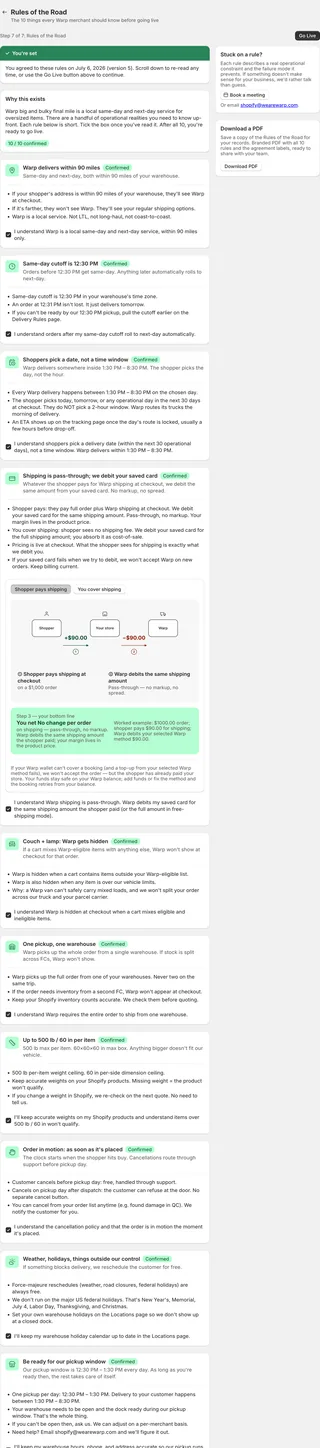
The last step is a page called Rules of the Road. It has ten short rules about things like how far Warp delivers, when Warp hides itself at checkout and what happens in bad weather, each with a box to tick. Once they agree, the page shows the date, and there's a PDF copy to keep.
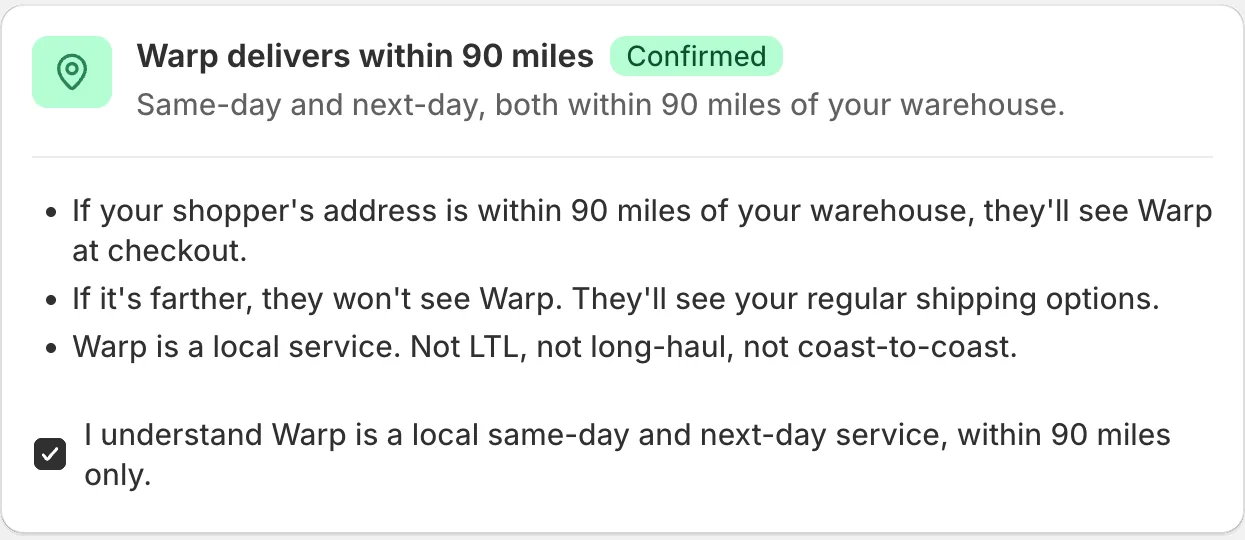

Rule 1 of 10 on the Rules of the Road page: Warp delivers within 90 miles, marked Confirmed. Three bullets say a shopper within 90 miles of the warehouse sees Warp at checkout, farther away they don't, and Warp is a local service. A ticked box reads I understand Warp is a local same-day and next-day service, within 90 miles only.
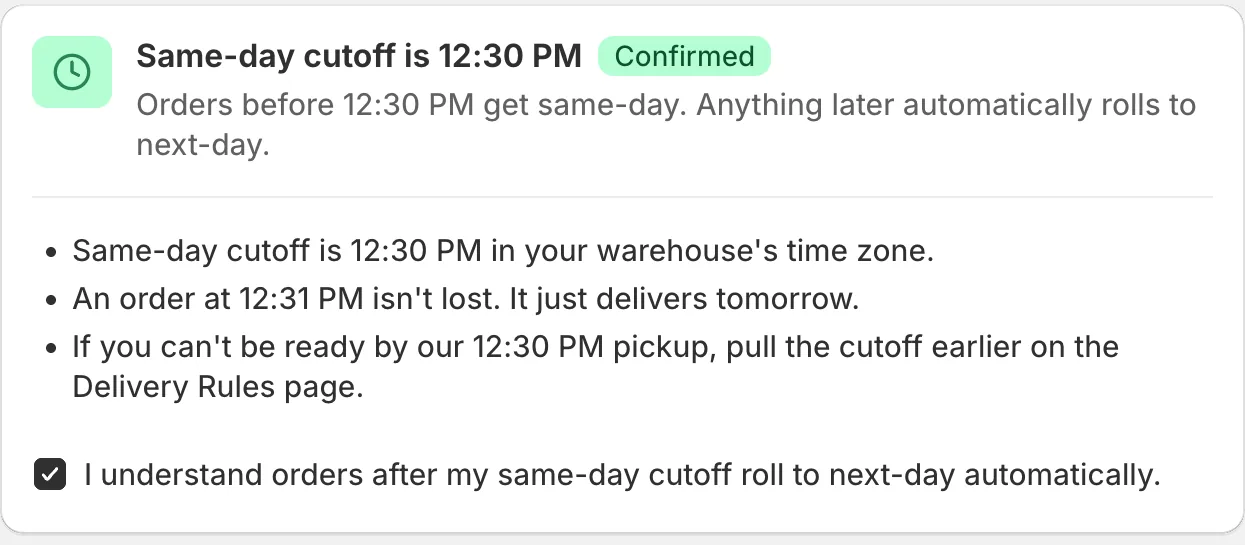
Rule 2 of 10: Same-day cutoff is 12:30 PM, marked Confirmed. Orders before 12:30 PM get same-day, anything later rolls to next-day. Three bullets explain it, and a ticked box reads I understand orders after my same-day cutoff roll to next-day automatically.
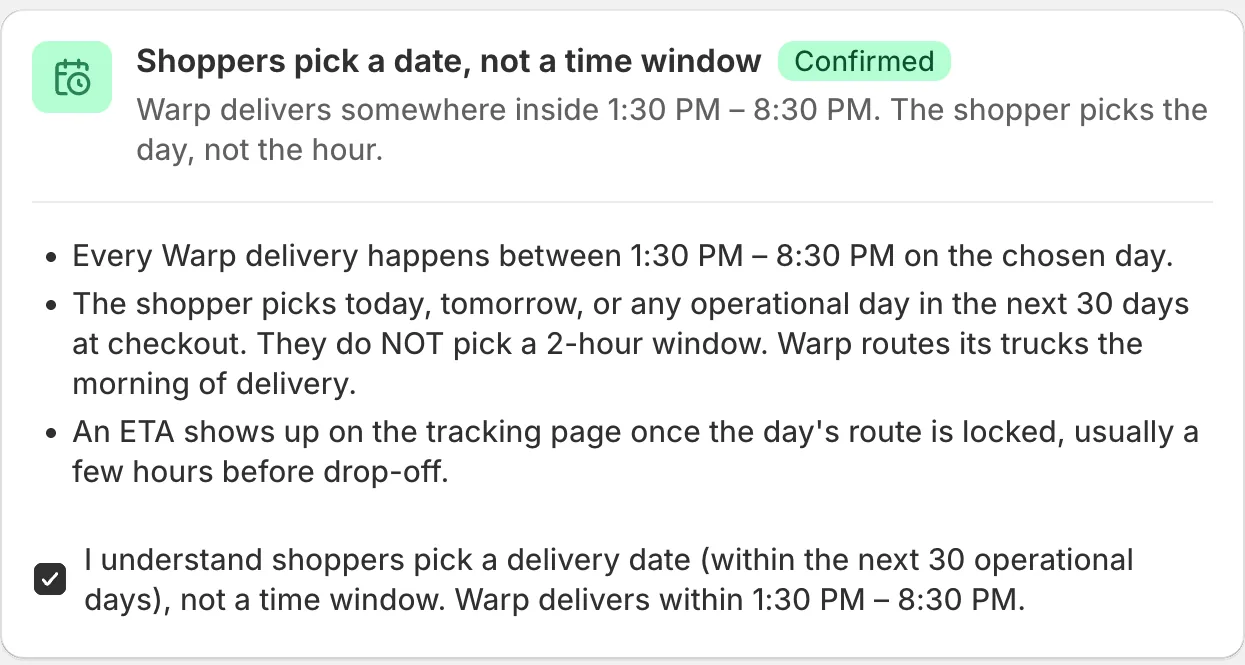
Rule 3 of 10: Shoppers pick a date, not a time window, marked Confirmed. Warp delivers somewhere inside 1:30 PM to 8:30 PM on the chosen day, and the shopper picks the day. Three bullets explain it, and a ticked box confirms it.
Three of the ten rules.
The whole Rules of the Road page, very small: a green banner saying You're set with the date the rules were agreed, a Why this exists card, ten rule cards one under another, and a Download PDF card on the right.
The whole page, to scale.

Where it stands

At checkout, the shopper sees a real freight price and delivery dates for the big items. It's live now.

All work